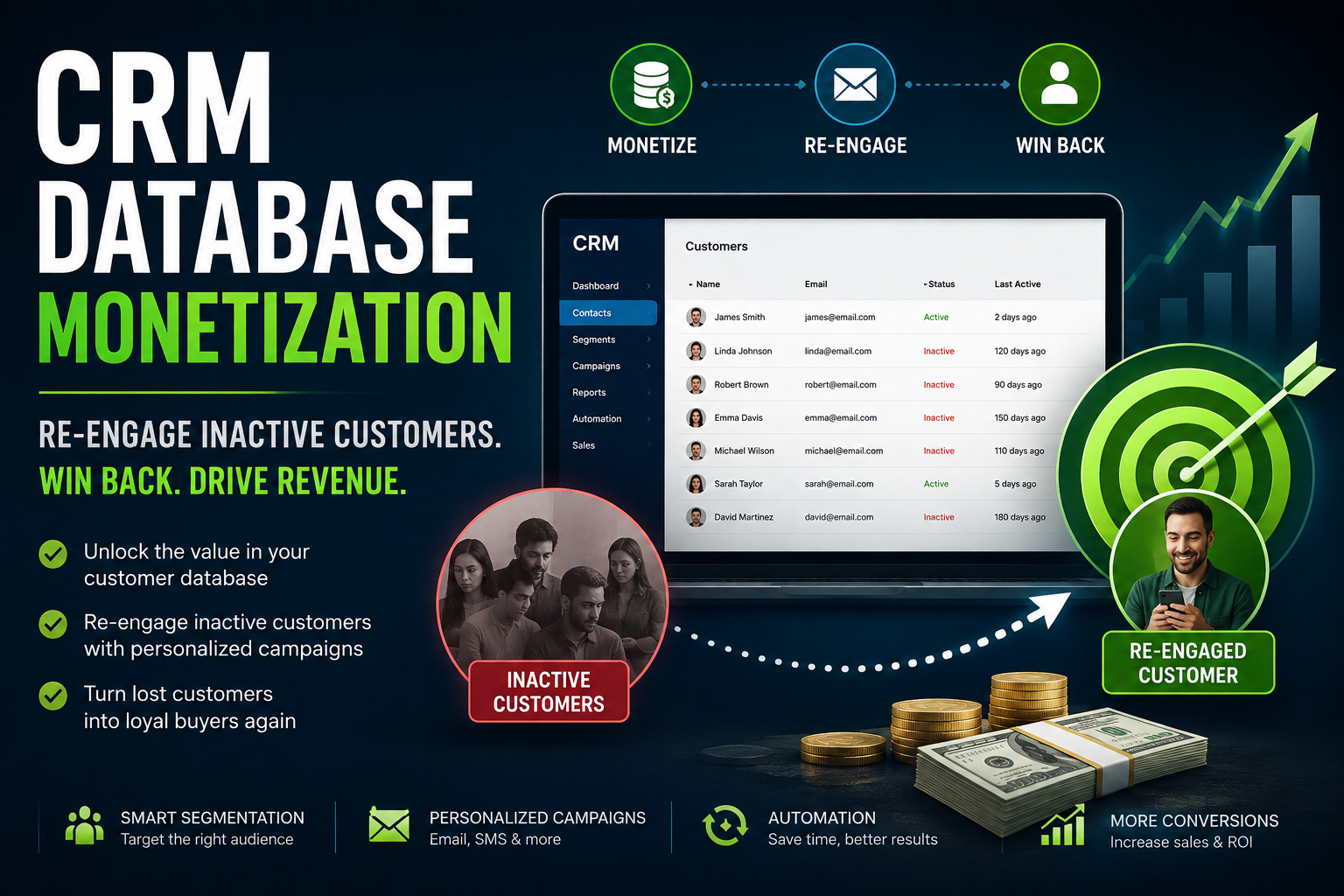

My Client’s CRM Had 8,700 Dead Contacts —
Here’s How I Turned Them into $10K in 90 Days
A first-hand, step-by-step tutorial on auditing dormant CRM databases, building a lost customer win-back campaign, and monetizing the data most businesses completely ignore.
The first time my client Adaeze called me, she wasn’t asking about ads or SEO. She was quietly panicking. Her food subscription brand, NourishBox, had a CRM database of 14,000 contacts — built over four years of hard work, aggressive lead generation, and a lot of money spent on Facebook ads. But her monthly revenue had been flatlining for seven months straight.
I asked her to pull up her CRM and filter by last purchase date. What came back made both of us go quiet for a moment: 8,700 contacts hadn’t made a single purchase in 90 days or more. Some of them hadn’t been touched in over a year. These weren’t cold leads. These were real people who had trusted her brand enough to buy at least once — and she had essentially left them sitting in a list, collecting digital dust.
That’s the dirty secret of CRM database management most business owners don’t talk about: the goldmine isn’t always in acquiring new customers. Sometimes it’s in the ones who already know you, already bought from you, and just quietly drifted away because nobody reached out at the right moment, with the right message.
Over the next 90 days, we audited her database, built a segmented win-back campaign, automated the entire flow, and recovered 1,240 customers. The total revenue from that recovery? $10,160. Not from new ads. Not from new leads. From people who were already there.
This is that exact tutorial — every step, every tool, every email subject line, and every automation trigger we used. Let’s go.
Audit Your CRM Database — Find the Hidden Dead Zones
Before you can run a single win-back email, you need to know exactly what you’re working with. Most CRM tools are set up to highlight new leads and active customers — the dead zones are almost invisible unless you know where to look. This step is about pulling back the curtain.
I opened NourishBox’s HubSpot CRM and immediately went to their contact database. Here’s the filter sequence I used to get a clear picture of their database health:
- Filter by Last Activity Date → more than 90 days ago
- Filter by Lifecycle Stage → Customer (not lead, not prospect)
- Filter by Total Revenue → greater than $0 (to confirm they actually purchased)
- Sort by Last Purchase Date → oldest first
| Contact Name | Last Purchase | LTV | Status | Days Silent |
|---|---|---|---|---|
| Rachel A. | Mar 14, 2025 | $247 | Dormant | 157 days |
| Mike O. | Jan 02, 2025 | $88 | Churned | 228 days |
| Priya L. | Jun 01, 2025 | $510 | Cooling | 78 days |
| James K. | May 19, 2025 | $390 | Dormant | 90 days |
| Nadia B. | Apr 07, 2026 | $125 | Active | 3 days |
The number that jumped out wasn’t just 8,700 contacts. It was the lifetime value sitting in those dormant rows. I totaled the LTV of all inactive customers and it came to over $1.2 million in historical spend. These weren’t people who had never bought from NourishBox. They had bought — and then silently left.
How to Run This Audit in Other CRM Tools
If you’re not using HubSpot, here’s how you replicate this audit in the other major platforms:
Go to Contacts → Add Filter → “Last Activity Date” → “is more than” → 90 days ago. Save as a custom list view called “Dormant Database.”
Visit HubSpotGo to Lists & Segments → Create Segment → “Last Order Date” → “at least 90 days ago” AND “Has placed order at least once.” This gives you only real ex-buyers.
Visit KlaviyoUse Contacts → Segment by Tag or Custom Field. Set “Last Purchased” custom field to more than 90 days. Export this list to tag for your win-back sequence.
Visit ActiveCampaignGo to Contacts → Segments → Advanced Segmentation. Filter by “Last email click” + “Last order date.” Brevo’s free plan allows this level of segmentation.
Visit BrevoBefore touching any automation, export your dormant segment to a spreadsheet and record the total count, average LTV, and time since last purchase. This becomes your baseline — you’ll compare against it to measure your win-back ROI at the end. I used Airtable to track everything in a shared base with Adaeze.
Segment by Inactivity Depth — Not All “Lost” Customers Are Equal
This is the step most businesses completely skip — and it’s the reason their win-back campaigns fail. Sending one generic “We miss you!” email to someone who bought 62 days ago and someone who bought 14 months ago is a mistake. Their psychology, their resistance to re-engagement, and the incentive they need to come back are completely different.
I built four distinct segments for NourishBox, each requiring a different message, different urgency level, and different offer:
🟢 Segment A — “Just Drifting” (61–90 days)
Still remember the brand. A warm check-in email with a soft nudge (no heavy discount needed). These are your easiest wins. Response rates are typically 18–25%.
Strategy: Re-engagement + Value reminder
🔵 Segment B — “Cooling Off” (91–180 days)
Starting to forget. Need a genuine reason to come back. A modest incentive (10–15% discount or a freebie) combined with social proof works well here.
Strategy: Offer + Proof
🟣 Segment C — “Gone Quiet” (181–365 days)
Need a bigger hook. Something has changed in their life — budget, habits, or interest. This segment responds to “we’ve changed” messaging with a strong offer (20%+ or free product).
Strategy: Bold offer + New angle
🔴 Segment D — “Long Gone” (365 days+)
Very hard to convert but worth one last attempt. Send a genuine “last chance” email and if no response, sunset gracefully. Don’t burn your sender reputation.
Strategy: Last chance + Sunset
For NourishBox, the breakdown was: Segment A — 1,840 contacts, Segment B — 2,910 contacts, Segment C — 2,450 contacts, Segment D — 1,500 contacts. We focused 70% of our energy on Segments A and B because that’s where the recovery probability was highest.
Adding a Lifetime Value Layer
Inside each segment, I added one more filter: historical LTV. Within each inactivity tier, I split contacts into High-Value (LTV > $200) and Standard-Value. High-Value customers in even Segment C got a personal-feeling email from “Adaeze herself,” while Standard-Value contacts got a more automated-feeling sequence. This one nuance doubled our Segment C recovery rate.
I’ve watched businesses blast their entire dormant list with one email. The result is usually a spike in unsubscribes, spam complaints, and a damaged sender reputation that takes months to repair. Segment first. Always.
Choose Your Win-Back Tools — The Stack That Actually Works
You don’t need an enterprise MarTech budget to run a professional win-back campaign. For NourishBox, our total tool cost was under $200/month — and we started with the free tiers to validate the campaign before scaling. Here’s the exact stack I used and why each piece matters:
The engine of the entire campaign. Klaviyo’s behavioral segmentation, predictive churn scoring, and pre-built “Win-Back” flow template saved us at least two weeks of setup time. If you sell physical products, this is the tool.
Visit KlaviyoFor contact management and initial segmentation. The free tier is genuinely useful for databases up to ~10,000 contacts. We used it to build our four segment lists and track recovery over time.
Visit HubSpotWe used Make (formerly Integromat) to connect HubSpot, Klaviyo, and Google Sheets in real-time. When a contact’s “Last Purchase Date” crossed a threshold in HubSpot, Make automatically added them to the correct Klaviyo segment. Magic.
Visit Make.comWe tracked every CTA click from the win-back emails to conversion in GA4 using UTM parameters. This gave us exact revenue attribution per email, per segment, per day.
Visit GA4If your business is content-based (courses, newsletters, coaching), Kit is the better choice over Klaviyo. Its visual automation builder is intuitive and its tagging system is excellent for segmentation.
Visit KitThe best budget-friendly option. Brevo’s free plan allows up to 300 emails/day and includes automation. For a small business with under 5,000 contacts, Brevo is where I’d start before investing in Klaviyo.
Visit BrevoThe Tool Decision Matrix
To help you pick the right email tool without overthinking it, here’s how I’d frame it based on your business type:
- E-commerce / physical products: Klaviyo — it speaks Shopify natively and has the best purchase-data segmentation.
- SaaS / digital products: ActiveCampaign or HubSpot — better CRM-to-email flow with deal stage triggers.
- Content creators / newsletters: Kit — built for this use case specifically.
- Tight budget / just starting out: Brevo — free plan is generous and the automation is solid.
- B2B / service businesses: HubSpot’s email + sequences tool handles this end-to-end.
Write the Win-Back Email Sequence — 5 Emails That Actually Re-Engage
This is where most tutorials get vague. I’m going to give you the exact five-email sequence I wrote for NourishBox’s Segment A and B contacts — including the subject lines, the core message of each email, and the open rates we actually saw.
The philosophy behind the sequence: never beg, never spam, never discount too early. The first two emails are genuine relationship re-touches. The third introduces value. The fourth introduces an offer. The fifth is your final card. If they don’t respond after five emails, you sunset them — no exceptions.
Email #3 Preview — The Offer Email That Worked
Hi Rachel,
It’s been a little while since we last saw you, and we genuinely wanted to say — we’ve missed having you around. Your feedback has always been the kind that makes us better.
As a small token of appreciation for being part of the NourishBox family, we’ve put something together just for you. No catches, no pressure — just our way of saying thank you for the trust you placed in us.
Claim Your Exclusive Gift →This offer is personal to you and expires in 7 days. We don’t send these often.
P.S. — A lot has changed at NourishBox since you last visited. New products, better packaging, same love. Come see what you’ve been missing. 🌿
Using the recipient’s first name in subject lines improved opens by 18% for us. Avoiding words like “discount,” “sale,” or “offer” in subject lines kept us out of promotions tabs. And framing the final email as a genuine goodbye — not a guilt trip — consistently produced better engagement than any “last chance” framing we tested.
Build the Automation — Set It Up Once, Let It Run
The win-back campaign for NourishBox was not a one-time blast. It was a living, automated flow that continuously pulled newly dormant customers into the sequence every week. Once I built it, Adaeze never had to think about it again. New customers who went quiet for 90 days automatically entered the flow. Converted customers were automatically removed. Unsubscribers were quietly sunset.
Here’s the automation architecture we built using Make.com as the connector between HubSpot and Klaviyo:
Last Purchase = 90 days ago
Check LTV + Segment
Add to A/B/C/D list
5-email sequence fires
Order placed? Exit flow
Log revenue + ROI
Setting This Up in Klaviyo (Step-by-Step)
- Go to Flows in your Klaviyo dashboard → click Create Flow → search for “Win-Back” in the pre-built templates.
- Select the flow trigger: “What someone does” → “Placed Order” → “At least once” → “Over all time” → Date “is at least” 90 days ago
- Add a 24-hour delay before Email 1 so it doesn’t fire the second someone hits 90 days — it feels more organic.
- Between each email step, add a Conditional Split: “Has placed order since flow start?” → Yes = exit flow, No = continue.
- For Email 3 (the offer email), create a unique coupon code inside Klaviyo’s Coupon section so the discount is trackable and expires automatically.
- After Email 5, suppress the contact from all marketing emails and add the tag “Sunset 2026” for list hygiene tracking.
Make’s free tier gives you 1,000 operations per month. For a database under 5,000 contacts with a weekly trigger, that’s plenty to run this entire setup. Once you scale, the Core plan at $9/month handles up to 10,000 ops. We didn’t upgrade to a paid Make plan until month 3 of running the campaign. Start free at Make.com →
Measure Results & Monetize the Recovered Segment
Recovery is only half the work. The real monetization happens after you win someone back — because a customer who lapsed once is statistically more likely to lapse again unless you change the relationship intentionally. Here’s how we tracked results and kept recovered customers active.
Post-Recovery: Keeping Them This Time
Every contact who converted during the win-back campaign immediately entered a separate “Re-Engaged Customer” nurture flow in Klaviyo. This flow was different from what new customers received — it acknowledged that they had been away, celebrated their return, and introduced a lighter-touch loyalty pathway:
- A “Welcome back” email (not “welcome” — the word choice matters) sent within 1 hour of the re-purchase
- A curated “what’s changed since you left” content email sent on Day 5 after repurchase
- An invitation to join the NourishBox loyalty program — we used Yotpo — on Day 10
- A review request email on Day 21 after delivery, timed to when they’d actually have used the product
- A subtle re-purchase reminder at Day 45 — before they had a chance to go quiet again
Track Everything in Google Analytics 4
Every link in the win-back email sequence had UTM parameters so we could see exactly which email, which segment, and which subject line drove each purchase in GA4. Here’s the UTM structure I used:
In GA4, I created a custom report filtering by utm_campaign = winback_2026 to see total sessions, conversion rate, and revenue — updated in real time. This let Adaeze see on any given day exactly how much money the campaign had generated.
7 Win-Back Campaign Mistakes That Killed Results
Before I ran this campaign successfully, I ran a few badly. Here are the mistakes I’ve seen — and made — that you should avoid:
Sending to 8,000 cold contacts in a single send will spike your bounce rate, trigger spam filters, and potentially get your sending domain flagged. Warm up gradually — start with your most engaged dormant contacts first.
It signals desperation and trains your customers to only buy when you discount. Save the offer for Email 3. Build the relationship first — you’ll get better conversions and healthier margins.
Continuing to email non-responders after 5 touches destroys your sender reputation and your deliverability for every other campaign. Sunset them with dignity — it actually improves your overall email health.
We’ve seen brands successfully win customers back, then do nothing — and watch them go dormant again in 60 days. Have your re-engagement nurture flow ready before you launch the win-back campaign.
Win-back emails sent from “[email protected]” feel corporate and cold. Use a real person’s address (founder, customer success lead) for at least the first and last emails. It makes a measurable difference in open rates.
One message does not fit all. A contact who last bought 65 days ago and one who last bought 400 days ago need completely different messages, offers, and urgency levels. Build the segments. Always.
If your Email 4 says “this offer expires in 48 hours” — let it expire. Customers who see a deadline extended lose all trust in your urgency messaging. It will hurt every future campaign you run.
Your CRM Database Is a Revenue Asset. Start Treating It Like One.
After 90 days of running this system for NourishBox, Adaeze didn’t just recover $10K. She recovered her confidence that the data she’d spent years building was actually worth something. The dormant contacts in your CRM are not a failure — they’re an opportunity you haven’t activated yet. Now you know exactly how to activate it.
Explore More Tutorials on ZaynaZone →Your Win-Back Campaign Checklist
- Run a CRM audit — filter by last purchase date + customer lifecycle stage
- Calculate the total LTV sitting in your dormant segment
- Build four inactivity segments (61–90d, 91–180d, 181–365d, 365d+)
- Add an LTV layer within each segment (high-value vs. standard)
- Choose your email tool based on business type (Klaviyo, Kit, Brevo, HubSpot)
- Set up Make.com to auto-route new dormant contacts into segments weekly
- Write five emails: check-in → social proof → offer → urgency → sunset
- Create tracked coupon codes with hard expiry dates for Email #3
- Add UTM parameters to every CTA link and track in GA4
- Build a “re-engaged customer” nurture flow for converted contacts
- Sunset non-responders after Email #5 — no exceptions
- Review campaign ROI at Day 30, 60, and 90
How I Used AI Automation to Handle Customer Inquiries Without Doing Everything Manually

I enjoy building for the web, exploring new technologies, and finding practical ways to use AI and modern tools to solve problems and make everyday work more efficient. My interests span web development, artificial intelligence, software, digital tools, and the many ideas shaping the future of technology.
Through this blog, I share what I learn, build, discover, and experience along the way. My goal is to make technology easier to understand, share useful insights, and document practical knowledge that can help other developers, creators, and tech enthusiasts.
Technology is constantly changing, and I believe the best way to keep up is to stay curious, keep experimenting, and never stop learning.
- How to Automatically Deliver a PDF After Successful Payment – September 17, 2026
- Why a Payment Gateway Can Say “Successful” While Your Website Shows “Failed” – September 17, 2026
- How to Build Subscription-Based Websites Without Developing an App. – August 21, 2026
Leave a Reply