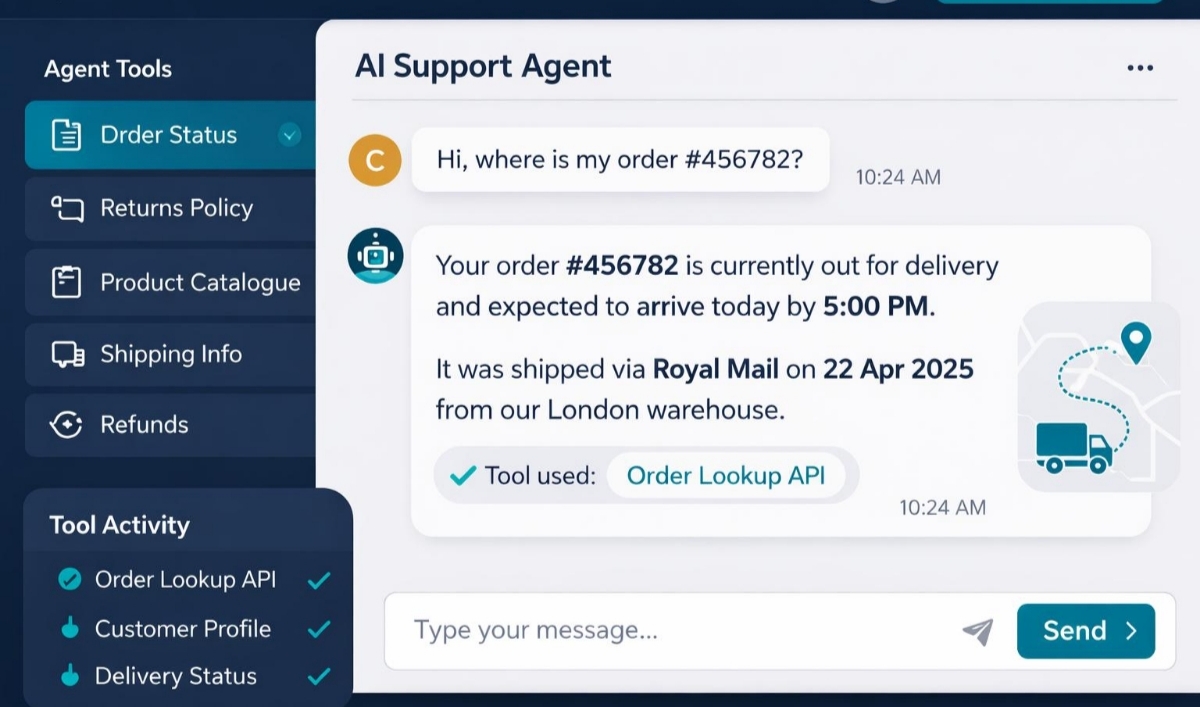

I used to think AI voice agents were something only big companies with huge budgets could afford, here I will talk about how I built an AI Voice Agent to Handle Customer Calls.
Whenever I heard about businesses using AI to answer phone calls, I imagined expensive call centers, complex software, and teams of developers maintaining everything behind the scenes.
That changed a few months ago when I decided to build one myself. The goal wasn’t to replace people. I simply wanted an assistant that could answer common questions, book appointments, and collect customer information while I focused on running my business.
To my surprise, I had a working AI receptionist in less than a day. In this guide, I’ll walk you through exactly how I set it up, the tools I used, the mistakes I made, and how you can build your own AI voice agent even if you’ve never worked with conversational AI before.
What My AI Voice Agent Actually Does
Before getting into the setup, here’s what I wanted my AI to handle. Whenever someone calls my business, it can:
- Answer the phone instantly
- Greet callers naturally
- Answer common questions
- Book appointments
- Collect customer detailsTransfer difficult conversations to a real person
- Send appointment confirmations automatically
The idea was simple.
If a customer asks something repetitive, the AI should handle it.If the conversation becomes complicated, it should hand it over to me.That balance has worked surprisingly well.
The Tools I Used
There are dozens of AI voice platforms available today, but I wanted something that was easy to learn and flexible enough to connect with other services.
Here’s the stack I used:
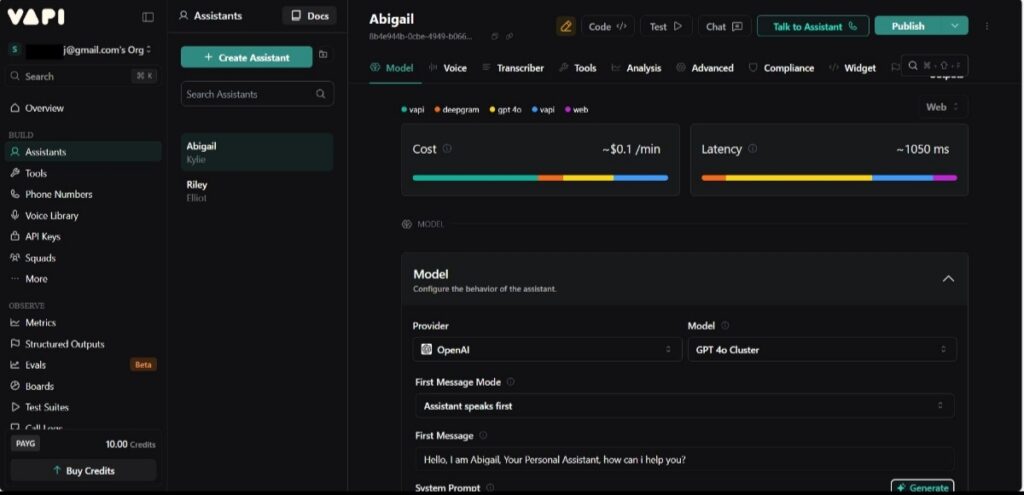

- Vapi – to handle phone calls and the voice conversation.
- OpenAI – to understand what callers say and generate natural responses.
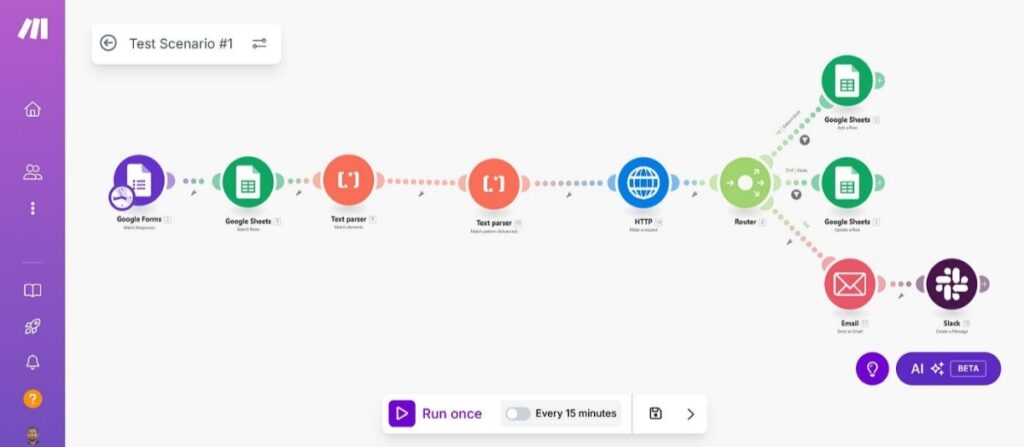
- Make.com – to automate tasks like sending emails, logging customer information, or creating appointments.
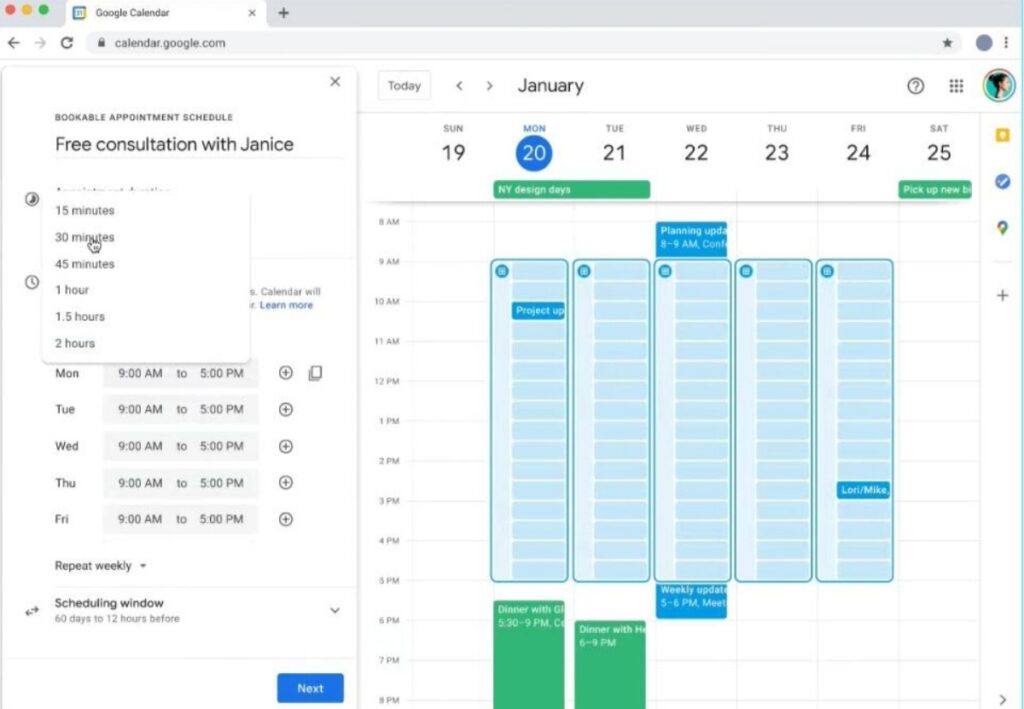
- Google Calendar – to manage bookings.
- Google Sheets or Airtable – to store leads and call details.
You can swap some of these tools for alternatives, but this combination is beginner-friendly and doesn’t require building everything from scratch.
Step 1: Plan What Your AI Should Do
The biggest mistake I made at first was trying to make the AI do everything. It became confused because I gave it too many responsibilities.
Instead, I wrote down the exact tasks I wanted it to handle. Mine looked something like this:
- Answer incoming calls
- Explain my services
- Book appointments
- Collect the caller’s name and phone number
- Answer pricing questionsTransfer urgent calls
Step 2: Create Your AI Voice Agent
Inside Vapi, a new assistant was created.The setup was surprisingly straightforward. I chose:
- An English-speaking voice
- A friendly conversational tone
- OpenAI as the language model
- My preferred phone number
After connecting my OpenAI API key, I was ready to define how the assistant should behave.
Step 3: Write a Good System Prompt
This is probably the most important part of the entire setup.The system prompt tells the AI who it is and how it should respond.
Here’s a simplified version of what I used:
You are the customer support assistant for Bright Solutions.

Always greet callers politely.

Answer questions clearly.

If someone wants to book an appointment,
ask for their preferred date and time.

If you don't know the answer,
say you'll connect them with a team member.

Never invent information.
I spent more time improving this prompt than I did configuring the software. Every small improvement made the conversations sound more natural.
Step 4: Connect Your Calendar
The next step was allowing the AI to check appointment availability. I connected Google Calendar through Make.com. The workflow looked like this:
Customer calls → AI asks for a date → Make checks Google Calendar → Available slot found → Appointment created → Confirmation sent.
Once this was working, bookings became completely automated.
Step 5: Save Customer Information
I didn’t want customer details disappearing after every phone call.
So I created a simple automation. Whenever the AI finishes a conversation, Make.com automatically stores:
- Customer name
- Phone number
- Reason for calling
- Appointment details
- Call summary
Everything gets saved in Google Sheets, making it easy to review later.
Step 6: Add Human Handoff
This step is easy to overlook, but it’s one of the most important.
No AI can solve every problem. I configured my assistant to transfer calls whenever:
- Someone asks for a manager
- The caller sounds frustrated
- Payment disputes come up
- The AI isn’t confident about an answer
- The customer specifically requests a human
Step 7: Test Everything
Before sharing the phone number publicly, I spent an afternoon calling my own AI, asked it simple questions. Then tried to confuse it. Some of the things I tested included:
- Speaking quickly
- Interrupting the AI
- Asking unrelated questions
- Changing topics mid-conversation
- Using different accents
Every test revealed small issues that I fixed by refining the prompt or adjusting the workflow. Those practice calls made a huge difference.
Tips for Better AI Voice Agents
After using my setup for a while, here are a few habits that made the biggest difference:
- Keep responses short and conversational.
- Give callers the option to speak with a human.
- Update your knowledge base whenever your business changes.
- Review call logs regularly to spot recurring questions.
- Use automation for routine tasks, but let people handle sensitive situations.
A good AI voice agent shouldn’t try to sound perfect. It should sound helpful, confident, and know when to step aside.
Is It Worth Building One?
For me, the answer has been yes.
Instead of missing calls after business hours or spending time answering the same questions repeatedly, I now have a system that works around the clock. Customers get immediate responses, appointments are booked automatically, and I can focus on the parts of the business that actually require my attention.
If you’re curious about AI automation, building a voice agent is one of the most practical projects you can start with. You don’t need to be a developer, and you don’t need a large budget. With the right tools and a bit of testing, you can create an AI assistant that genuinely improves your customer service experience.
Next in this series
Once you’ve built a basic AI voice agent, you can expand it by:
- Connecting it to your CRM to personalize conversations.
- Automating follow-up SMS and email messages after each call.
- Adding payment collection for bookings.
- Supporting multiple languages.
- Integrating with your help desk to create support tickets automatically.
Those enhancements can turn a simple phone assistant into a fully autonomous customer service system that scales with your business.
How I Used AI Automation to Handle Customer Inquiries Without Doing Everything Manually

I enjoy building for the web, exploring new technologies, and finding practical ways to use AI and modern tools to solve problems and make everyday work more efficient. My interests span web development, artificial intelligence, software, digital tools, and the many ideas shaping the future of technology.
Through this blog, I share what I learn, build, discover, and experience along the way. My goal is to make technology easier to understand, share useful insights, and document practical knowledge that can help other developers, creators, and tech enthusiasts.
Technology is constantly changing, and I believe the best way to keep up is to stay curious, keep experimenting, and never stop learning.
- How to Automatically Deliver a PDF After Successful Payment – September 17, 2026
- Why a Payment Gateway Can Say “Successful” While Your Website Shows “Failed” – September 17, 2026
- How to Build Subscription-Based Websites Without Developing an App. – August 21, 2026
Leave a Reply