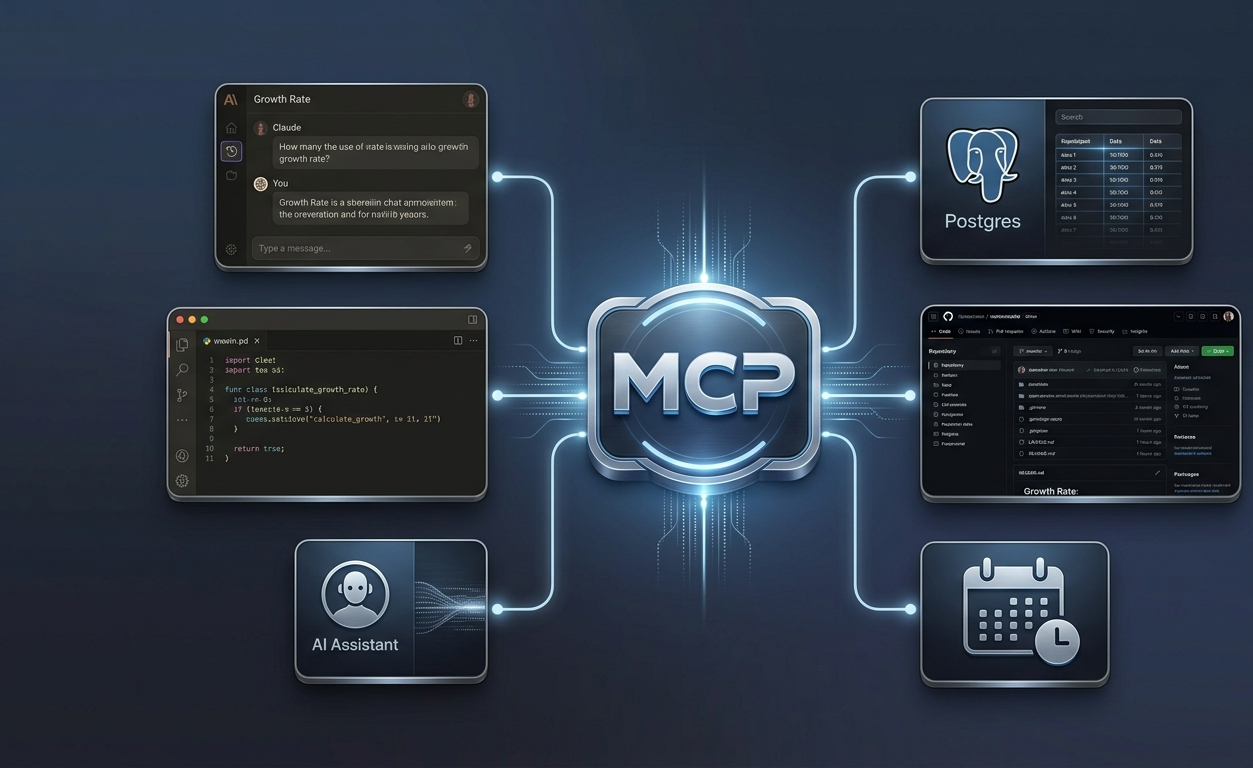

If you had told me a few years ago that half my job as a developer would be writing repetitive “glue code” just to get AI models to read a local database or post an update to GitHub, I probably would have laughed.
Then came the boom of custom AI agents, IDE integrations, and desktop assistants. Suddenly, I wasn’t just writing application logic, I was endlessly wiring up API wrappers. If I wanted Claude or my editor to query Postgres, I wrote a custom tool integration. If I wanted it to interact with Jira or read a local file system, I wrote another integration.
Every new tool felt like inventing the wheel all over again, multiplying the maintenance nightmare every time a model or API updated.
Then I stumbled into the Model Context Protocol (MCP), and it honestly felt like the first time I plugged a modern USB-C cable into a device after years of keeping a drawer full of proprietary power bricks.
Here is what I learned while building my first custom MCP server, and why I think it’s quietly shifting how we build AI-native software.
The “Aha!” Moment: Solving M \times N Chaos
Before MCP, connecting M different AI clients (like Claude Desktop, Cursor, or custom terminal agents) to N different backend services (databases, cloud services, internal dashboards) required building M \times N unique pipeline.
[Old Way]
AI Client A \   / Service A
AI Client B --X-- Service B     ==>
AI Client C /   \ Service C
MCP changes the game by acting as an open standard. You build an MCP Server for your data source or tool once. After that, any compliant MCP client can talk to it natively. No reinventing the wheel, no writing fragile custom bridges for every new AI interface that hits the market.
Getting My Hands Dirty: Building My First MCP Server
To test the waters, I decided to build a lightweight internal server using Python (via fastmcp).
My goal was simple: expose an application health metric and a simple growth calculation function to my local AI coding environment.Here is the exact code structure I put together in under ten minutes:
from fastmcp import FastMCP

# 1. Initialize the MCP Server instance
mcp = FastMCP("Developer Workspace Server")

# 2. Add a Tool (An action the AI model can execute)
@mcp.tool()
def calculate_growth_rate(start_val: float, end_val: float) -> str:
    """Calculates percentage growth between two metrics."""
    if start_val == 0:
        return "Initial value cannot be zero."
    growth = ((end_val - start_val) / start_val) * 100
    return f"Growth Rate: {growth:.2f}%"

# 3. Add a Resource (Read-only contextual data provided to the AI)
@mcp.resource("system://info")
def get_system_status() -> dict:
    """Returns real-time application status and build version."""
    return {"status": "operational", "version": "1.0.0"}

if __name__ == "__main__":
    mcp.run()
The Magic of Plug-and-Play
Once the script was ready, I registered it in my client’s configuration file (claude_desktop_config.json):
{
  "mcpServers": {
    "my-workspace-server": {
      "command": "/path/to/my-env/.venv/bin/python",
      "args": ["/path/to/my-env/server.py"]
    }
  }
}
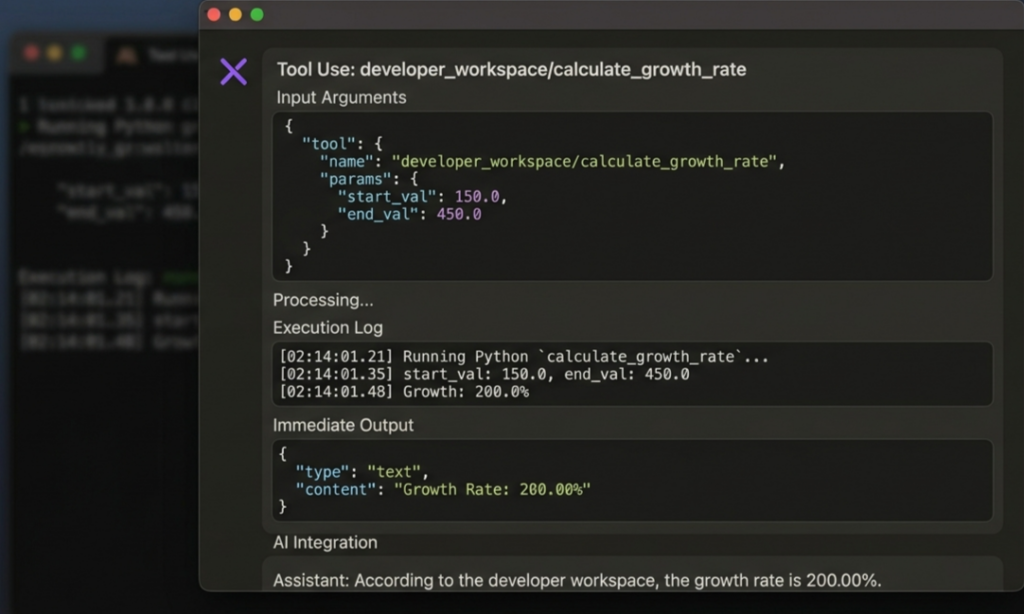
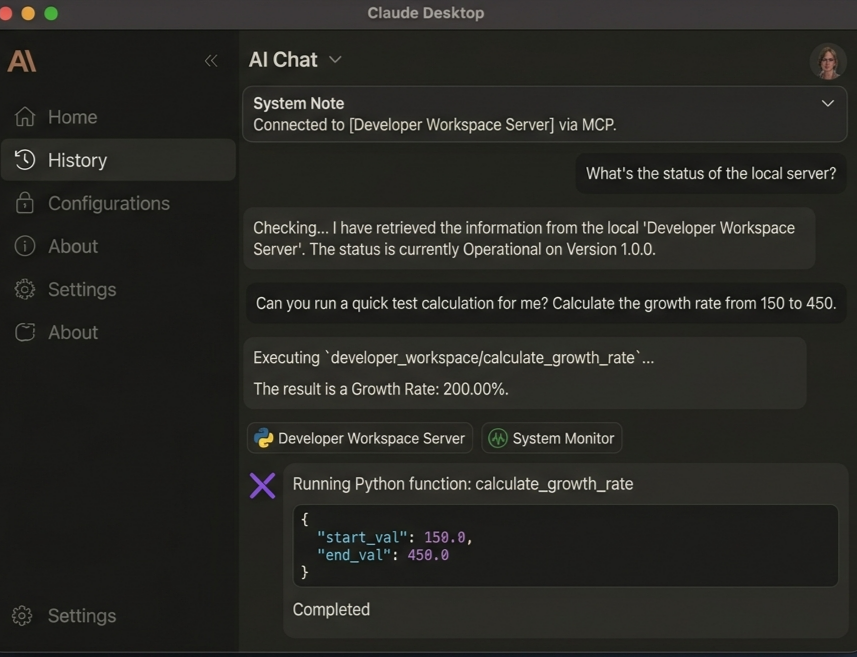
The minute I restarted my application, the AI model automatically recognized the new tool. I didn’t have to prompt it on how to use the tool or hardcode JSON schema definitions; the protocol handled all the discovery and parameter validation under the hood. I simply asked, “What’s the growth rate from 150 to 450?” and watched the model call my local code directly.
What I Learned: Core Takeaways
- Standardization beats cleverness: Standard protocol primitives (Tools, Resources, and Prompts) make system design predictable. You spend time writing actual application logic rather than data parsing utilities.
- Local-first security: Because MCP handles communication locally via stdio or secure endpoints, my credentials and workspace context stay on my machine instead of getting processed through opaque third-party cloud wrappers.
- Future-proofing workflows: If I switch my primary coding assistant or desktop application tomorrow, my custom tooling isn’t wasted. It plugs right into the next client.
MCP shifted my perspective from “How do I hook this model up to my data?” to “What tools should I empower my AI assistant with today?” If you spend any time building custom workflows or internal tools, setting up a quick MCP server is well worth an afternoon of experimentation.
MCP Reference Servers Repository

I enjoy building for the web, exploring new technologies, and finding practical ways to use AI and modern tools to solve problems and make everyday work more efficient. My interests span web development, artificial intelligence, software, digital tools, and the many ideas shaping the future of technology.
Through this blog, I share what I learn, build, discover, and experience along the way. My goal is to make technology easier to understand, share useful insights, and document practical knowledge that can help other developers, creators, and tech enthusiasts.
Technology is constantly changing, and I believe the best way to keep up is to stay curious, keep experimenting, and never stop learning.
- How to Automatically Deliver a PDF After Successful Payment – September 17, 2026
- Why a Payment Gateway Can Say “Successful” While Your Website Shows “Failed” – September 17, 2026
- How to Build Subscription-Based Websites Without Developing an App. – August 21, 2026
Leave a Reply