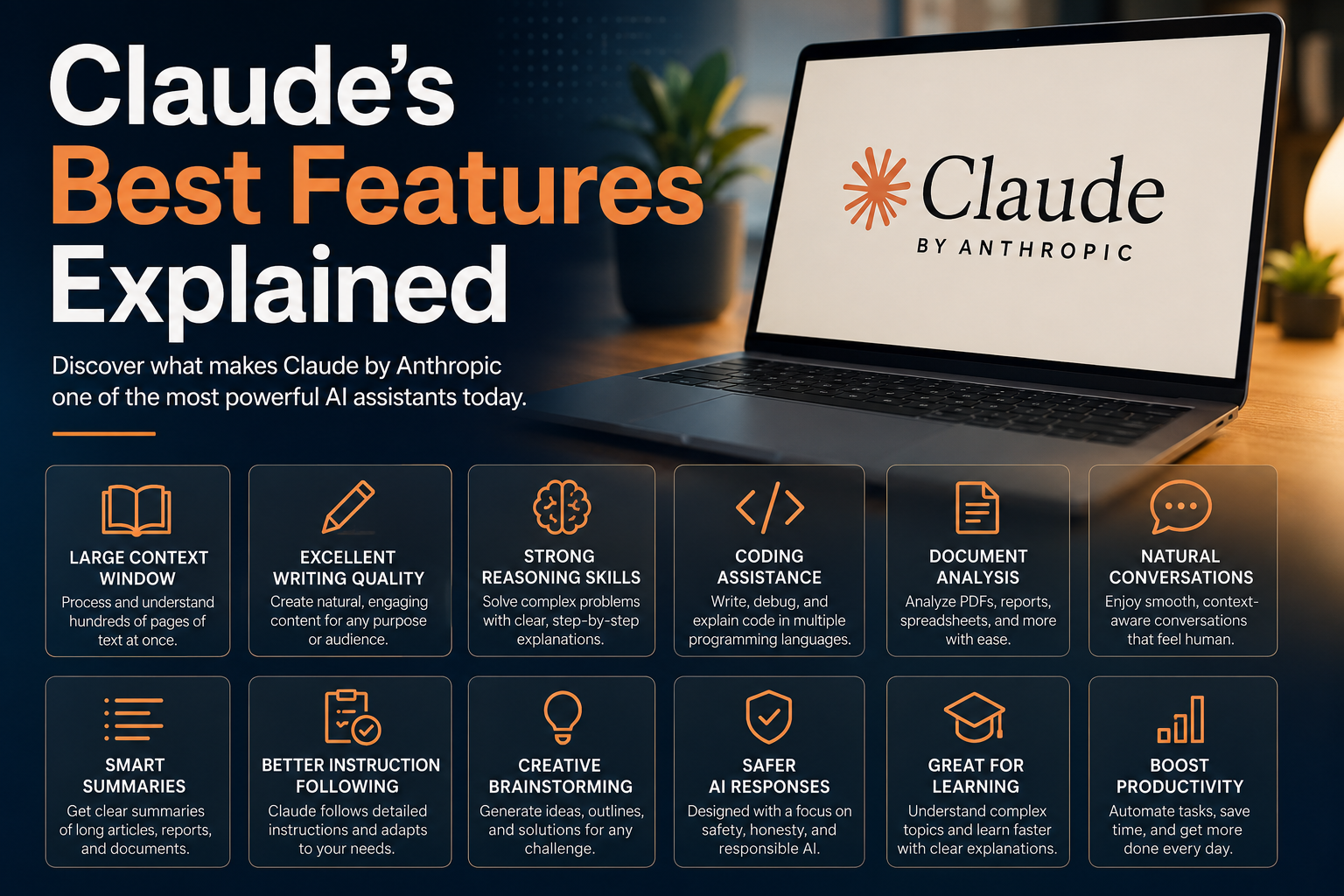

Artificial intelligence has evolved quickly over the past few years, and today’s users have more choices than ever. Among the leading AI assistants, Claude has earned a reputation for being thoughtful, reliable, and exceptionally good at handling complex tasks.
Built by Anthropic, Claude isn’t just another chatbot, it was designed to help people solve problems, write better content, analyze large amounts of information, and even assist with programming.
Whether you’re a student, writer, developer, business owner, or simply curious about AI, understanding Claude’s strengths can help you get more value from it. In this guide, we’ll explore Claude’s best features and explain why so many people are choosing it for both work and everyday tasks.
What Is Claude?
Claude is an AI assistant created by Anthropic, an AI research company focused on building helpful, honest, and safe artificial intelligence. Like other modern AI models, Claude can understand natural language, answer questions, generate content, summarize documents, write code, and much more.
What separates Claude from many competitors is its focus on reasoning, long-form conversations, and working with large amounts of information without losing context.
1. Massive Context Window
One of Claude’s biggest advantages is its ability to remember and understand extremely large conversations and documents.
Instead of forgetting earlier parts of a discussion, Claude can process hundreds of pages of text at once. This makes it ideal for:
- Reading research papers
- Reviewing contracts
- Summarizing books
- Analyzing reports
- Working with long conversations
For professionals who regularly deal with large documents, this feature can save hours of manual reading.
2. Excellent Writing Quality
Claude is widely praised for producing writing that feels natural rather than robotic.
It can create:
- Blog posts
- Marketing copy
- Emails
- Product descriptions
- Social media captions
- Stories
- Business reports
Instead of generating repetitive paragraphs, Claude usually maintains a consistent tone throughout the entire piece.
Many writers also use Claude to improve grammar, rewrite awkward sentences, and make their content easier to read.
3. Strong Reasoning Skills
Claude performs particularly well when solving complex problems. Rather than jumping to quick conclusions, it often explains its thinking clearly and evaluates multiple possibilities before providing an answer.
This makes it valuable for:
- Business planning
- Brainstorming ideas
- Research
- Decision-making
- Educational explanations
4. Coding Assistance
Developers increasingly rely on Claude for software development.
It can:
- Write Python, JavaScript, Java, C++, and many other languages
- Explain existing code
- Find bugs
- Optimize performance
- Generate documentation
- Suggest better programming practices
Instead of only producing code, Claude also explains why a solution works, making it useful for beginners learning programming.
5. Document Analysis
One feature that impresses many users is Claude’s ability to understand uploaded documents.
It can analyze:
- PDFs
- Word documents
- Spreadsheets
- Research papers
- Legal contracts
- Financial reports
Rather than simply summarizing, Claude can answer detailed questions about specific sections of a document. This is especially useful for students, researchers, lawyers, and business professionals.
6. Natural Conversations
Some AI assistants feel mechanical after several exchanges. Claude generally maintains smoother conversations by remembering previous context and responding in a more conversational way.
You can ask follow-up questions naturally without repeating everything from earlier messages.
This creates an experience that feels much closer to talking with a knowledgeable assistant than interacting with traditional software.
7. Helpful Content Summaries
Reading lengthy articles or reports can take hours. Claude can summarize large amounts of information while preserving the important details.
It can create:
- Executive summaries
- Bullet-point notes
- Study guides
- Meeting summaries
- Research overviews
This feature is especially valuable for professionals working with large volumes of information every day.
8. Better Instruction Following
Claude generally follows detailed instructions very well.
For example, you can ask it to:
- Write in a friendly tone
- Avoid technical jargon
- Use Markdown formatting
- Write for beginners
- Create SEO-friendly content
- Maintain a specific word count
The more detailed your prompt, the better Claude tends to perform.
9. Creative Brainstorming
When you’re stuck on an idea, Claude can become an effective brainstorming partner. It can generate:
- Business ideas
- Startup concepts
- Video topics
- Article outlines
- Product names
- Marketing campaigns
- Story plots
Rather than offering only one answer, Claude often provides several different approaches, giving users more options to explore.
10. Safer AI Responses
Anthropic has placed a strong emphasis on building AI that is helpful while reducing harmful or misleading outputs. Although no AI system is perfect, Claude generally aims to:
- Avoid spreading misinformation
- Handle sensitive topics carefully
- Encourage responsible use
- Explain uncertainty when appropriate
This focus on safety has made Claude a trusted choice for many organizations.
11. Great for Learning
Students frequently use Claude as a personal study assistant.
It can help explain:
- Mathematics
- Science
- History
- Literature
- Economics
- Computer Science
Instead of only providing answers, Claude often teaches the reasoning behind them, making it easier to understand difficult concepts.
12. Professional Tone Control
Another standout feature is Claude’s flexibility with writing styles.
It can easily switch between:
- Formal business writing
- Casual conversations
- Academic languageTechnical documentation
- Marketing content
- Friendly customer support responses
13. Research Assistance
While AI shouldn’t replace original research, Claude can significantly speed up the research process. It helps by:
- Organizing information
- Comparing ideas
- Explaining concepts
- Creating outlines
- Identifying key points
Researchers often use Claude as an assistant to structure their findings before writing final reports.
14. Workflow Automation Ideas
Claude also helps improve productivity by suggesting ways to automate repetitive work.
Examples include:
- Email templates
- Documentation workflows
- Customer support responses
- Content calendars
- Coding workflows
- Project planning
Best Use Cases for Claude
Claude performs especially well in the following areas:
- Long-form content writing
- Programming assistance
- Research projects
- Business documentation
- Educational supportData analys
- Brainstorming sessionsTechnical writing
- Document summarization
- Professional communication
Tips for Getting Better Results
To make the most of Claude, keep these tips in mind:
- Give clear and specific instructions.
- Break complex tasks into smaller steps.
- Share enough context for the task.
- Ask follow-up questions to refine the output.
- Review important information for accuracy, especially in professional or academic work.
Is Claude Worth Using?
If your work involves writing, coding, research, or analyzing lengthy documents, Claude is one of the strongest AI assistants available today. Its ability to handle extensive context, produce natural-sounding writing, and reason through complex problems makes it a valuable tool for both individuals and teams.
While no AI can replace human judgment or expertise, Claude excels at reducing repetitive work, organizing information, and helping users move from ideas to finished results more efficiently.
Final Thoughts
Claude has earned its place among the leading AI assistants by focusing on thoughtful responses, strong reasoning, and practical productivity. From drafting articles and reviewing code to summarizing lengthy reports and brainstorming creative ideas, it offers a well-rounded set of features that can benefit a wide range of users.
As AI continues to evolve, tools like Claude are becoming less about replacing human work and more about enhancing it. Used wisely, Claude can help you work faster, think more clearly, and spend more time on the parts of your work that require creativity and critical judgment.
Read best Claude prompts for writers
Read Beginners Guide To Claude AI

I enjoy building for the web, exploring new technologies, and finding practical ways to use AI and modern tools to solve problems and make everyday work more efficient. My interests span web development, artificial intelligence, software, digital tools, and the many ideas shaping the future of technology.
Through this blog, I share what I learn, build, discover, and experience along the way. My goal is to make technology easier to understand, share useful insights, and document practical knowledge that can help other developers, creators, and tech enthusiasts.
Technology is constantly changing, and I believe the best way to keep up is to stay curious, keep experimenting, and never stop learning.
- How to Automatically Deliver a PDF After Successful Payment – September 17, 2026
- Why a Payment Gateway Can Say “Successful” While Your Website Shows “Failed” – September 17, 2026
- How to Build Subscription-Based Websites Without Developing an App. – August 21, 2026
Leave a Reply